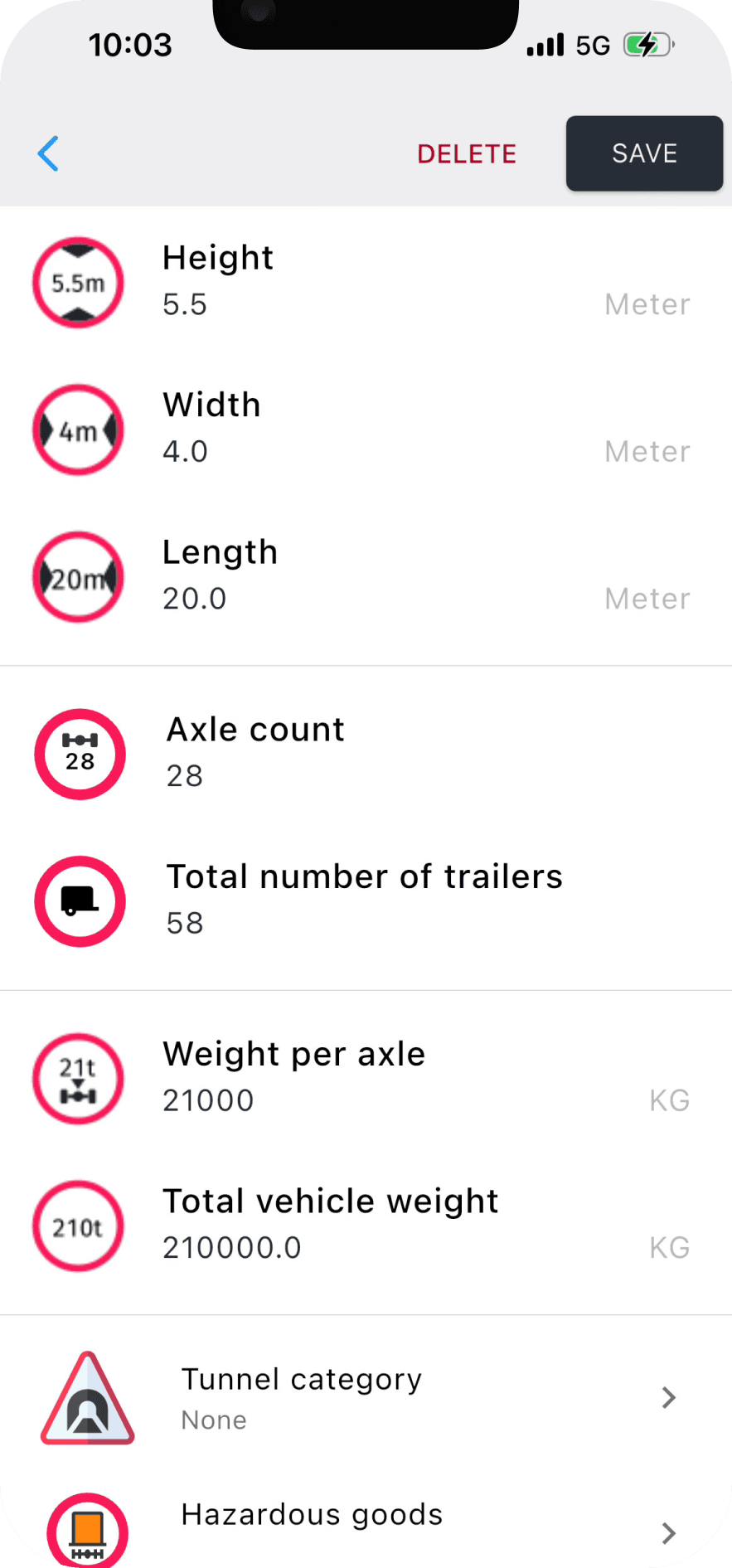
A truck GPS is only as good as the vehicle it thinks it is routing. Every restriction Navitruck avoids — a low bridge, a weight-limited road, a tunnel that bans your load — is compared against the profile you set. Leave a field on its default and the app will quietly route you as if that limit does not apply to you.
This guide goes through each field, what it controls, and the mistake people most often make with it. It takes five minutes to get right and you only do it once per vehicle.
Height
The single most important number. It decides which bridges, underpasses, car-park entrances and overhead structures the route avoids, and it triggers the alert you get before a low bridge when you are driving without an active route.
Measure the vehicle at its highest point, loaded the way you normally run: roof-mounted air conditioning, exhaust stacks, aerials, a raised tail-lift, or a high-cube trailer all count. If your height varies with the load, use the tallest configuration. A profile that is 10 cm too low is more dangerous than no profile at all, because it gives you confidence the route is safe when it is not.
Width
Width controls narrow-road and width-limit signs, which are common on rural roads, old town centres and bridges with parapets. Measure across the mirrors, not the body; on most trucks and coaches that adds 20–30 cm. If you regularly pull a trailer that is wider than the cab, use the trailer's width.
Length
Length affects length-limit signs and how the router treats tight junctions, hairpins and roads where long vehicles are banned. Enter the total length of the combination, tractor plus trailer, or motorhome plus towed car. Drivers who set only the tractor length are routinely sent into turns their trailer cannot make.
Axles
Axle count matters for two reasons. Several countries post per-axle weight limits and bridge limits that depend on axle configuration rather than total mass, and many toll systems charge by axle class. Getting this right makes the toll estimate on multi-stop routes accurate and keeps you off roads with axle-specific bans.
Gross weight
Enter the maximum permitted laden weight of the vehicle or combination, not what it happens to weigh today. Weight limits on bridges and local roads are enforced against the plated maximum in most jurisdictions, and setting the current lighter weight means the route can change from one trip to the next for no obvious reason. If you drive a unit empty and loaded, the plated maximum is the safe setting.
Tunnel category
If you carry dangerous goods under ADR, your transport document states a tunnel restriction code (B, C, D or E). Set it in the profile and Navitruck will avoid tunnels whose category forbids that code. Leave it blank if you never carry dangerous goods; setting a restrictive code without reason will add distance by avoiding tunnels you are allowed to use.
Hazmat class
Separate from the tunnel code, the hazmat setting tells the router to avoid roads, areas and structures where dangerous goods are banned outright, and to keep you out of restricted zones around town centres and water-protection areas. Set the class that matches the goods you actually carry on that vehicle. As with tunnel category, only enable it when it applies.
Keep one profile per vehicle
Navitruck lets you save several profiles and switch between them. Use that. A driver who moves between a rigid and an artic, or a couple who tow a caravan in summer and drive the car alone in winter, should have a profile for each configuration and switch before setting off. Changing three numbers in a single profile every time is how mistakes creep in.
Why it is worth the five minutes
Everything else in the app — restriction avoidance, background alerts, tunnel routing, toll estimates — is built on these seven values. Measured once and entered honestly, they are what separates a route you can trust from a route you have to second-guess at every bridge sign.