Offline truck maps that keep the alerts working
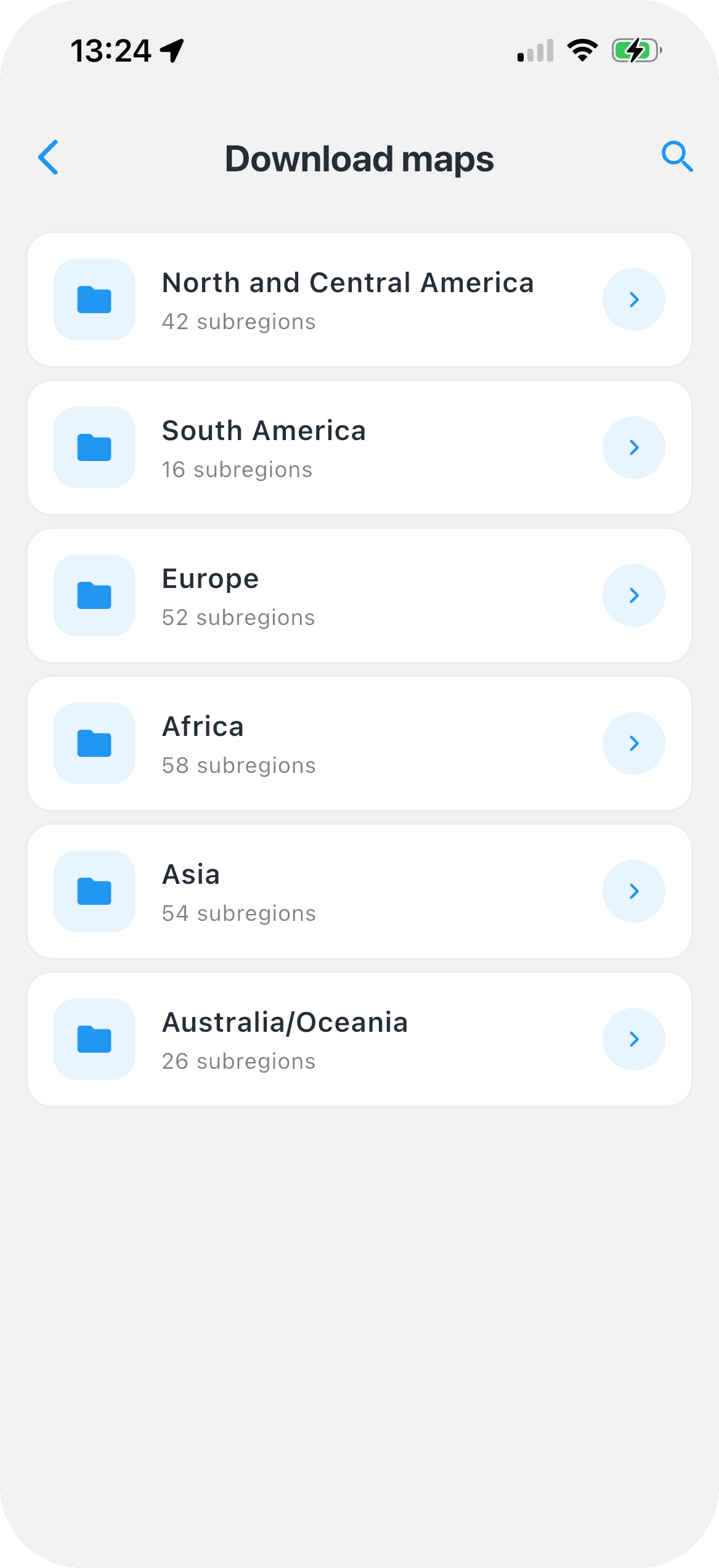
Download the regions you drive and Navitruck keeps routing, searching and warning you about restrictions with no data connection. All regions are included in Premium — there is nothing extra to buy per country.


3-day free trial on the web and in the app · Cancel anytime
Signal disappears where you need the map most
Mountain passes, rural delivery rounds, border crossings, underground loading bays and ferry ports have two things in common: poor coverage and a high density of restrictions that matter to a large vehicle. An app that streams its map is at its weakest exactly there. Navitruck stores the map on the device, so the route is calculated and followed locally whether or not the phone has a connection.
Restriction data is part of the download
The point of an offline truck map is not just seeing roads. Navitruck's offline regions include the truck restriction data — low bridge clearances, weight, width and length limits, hazmat bans and tunnel categories — so routing for your vehicle profile and the alert before each restriction work offline in the same way they do online. Search for addresses and truck POIs such as parking, fuel and weigh stations also works from the downloaded data.
- Truck-safe routing offline, using your vehicle profile
- Restriction alerts, including background alerts, offline
- Address and truck POI search offline
- 3D map view for junctions and complex interchanges
Every region included, one subscription
Some navigation products sell maps per country or per continent. Navitruck Premium includes offline maps for every region it covers — 100+ countries — at no additional cost. Download what you need for the week, delete what you do not, and add a new country before an international run without paying again.
What comes back when you are online
Offline covers the essentials: the map, the routing, the restrictions, the search. Live traffic and speed camera updates need a connection, and Navitruck picks them up again automatically when you have one, rerouting around congestion or a closure with the same restriction rules applied. Map updates download over Wi-Fi when you choose, so a large region does not eat mobile data in the cab.
Practical tips for offline use
Download regions on Wi-Fi the evening before, not in the yard on mobile data. Include neighbouring regions along your route so a diversion across a border does not drop you off the map. Check that the vehicle profile shown on the map screen is the one you are driving — offline or online, the alerts only know about the vehicle you have told the app about.
Common questions
Are offline maps an extra charge?
No. Offline 3D maps for every region Navitruck covers are included in Premium. There is no per-country or per-continent purchase.
Do restriction alerts work offline?
Yes. Low bridge, weight, width, length, hazmat and tunnel restriction data is part of the downloaded map, so routing and alerts — including background alerts — work without a data connection.
What does not work offline?
Live traffic and speed camera updates need a connection. They resume automatically when the phone is back online, and any reroute around traffic uses the same restriction rules as the original route.
How much storage do offline maps use?
It depends on the size of the regions you download. You choose regions individually and can delete ones you no longer need, so you only store the areas you actually drive.
Take the whole map with you
Offline 3D maps with restriction data for every region, included in Premium.
3-day free trial on the web and in the app · Cancel anytime
More about Navitruck
- Truck GPS appRestriction-aware navigation for trucks and HGVs.
- Low bridge GPSHeight-based routing and an alert before every low bridge.
- Hazmat & tunnel routingADR-aware routes that respect tunnel categories.
- RV & caravan GPSNavigation that knows your motorhome's height and weight.
- Best truck sat nav apps (UK)TomTom, Sygic, CoPilot, Eurowag and NaviTruck compared.
- Best truck & RV GPS apps (US)Trucker Path, Hammer, TruckMap, RV LIFE and NaviTruck compared.
- Best truck & RV GPS apps (Canada)Coverage, French support and RV profiles compared.
- Best truck & caravan GPS apps (Australia)TomTom, Sygic, CoPilot, TruckWiz, Hema and NaviTruck compared.
- BlogGuides on vehicle profiles, bridge strikes and background alerts.